
Samsung Secure Folder is a built-in, encrypted space on Samsung Galaxy smartphones that lets you hide and protect sensitive apps, photos, videos, and files from the rest of your phone. It is powered by Samsung Knox, Samsung’s defense-grade security platform, and works like a private vault inside your device.
Unlike normal app locks or hidden folders, Secure Folder creates a separate virtual environment, meaning apps and data inside it are completely isolated from your regular phone usage.
 Join Our WhatsApp Channel
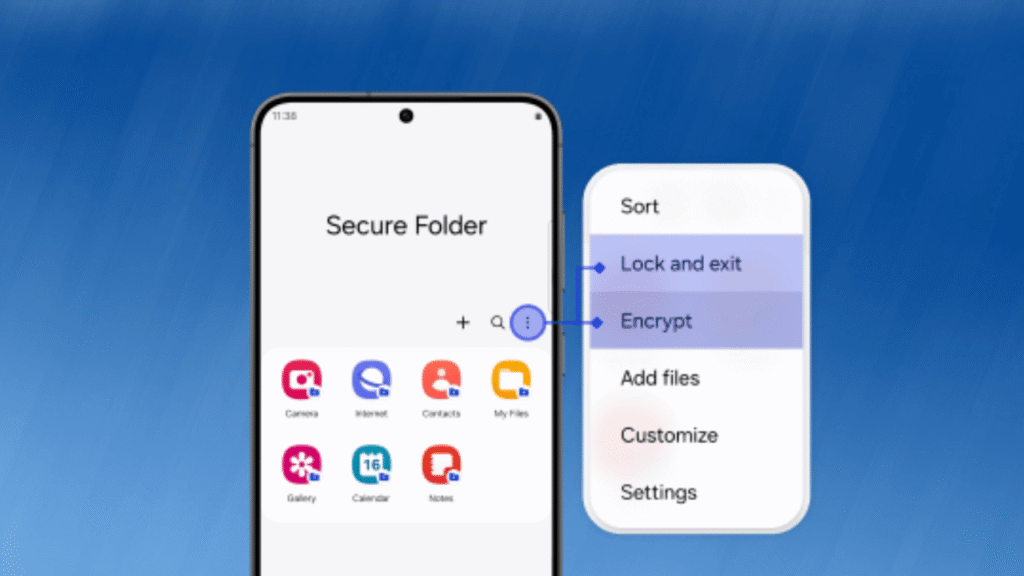
What is Samsung Secure Folder?
Samsung Secure Folder is a built-in, encrypted space on Samsung Galaxy phones that lets users securely store apps, photos, videos, and files separately from the main system. It is protected by Samsung Knox and uses hardware-level encryption to prevent unauthorized access, even if the phone is lost or stolen.
Samsung Secure Folder APK: Is It Safe to Install?
Many users search for Samsung Secure Folder APK, but installing it manually is not safe or recommended.
Secure Folder relies on:
- Hardware-backed encryption
- Samsung Knox security framework
- Device-specific firmware support
Because of this:
- APK versions from third-party sites will not work properly
- Installing an APK can break Secure Folder permanently
- It may trigger Knox security flags and lock your data
If Secure Folder is not available on your device officially, it cannot be safely added via APK.
Samsung Secure Folder Online: Can You Access It on Web or Browser?
A very common query is Samsung Secure Folder online.
The answer is simple:
Samsung Secure Folder cannot be accessed online.
All data inside Secure Folder is:
- Stored locally on your phone
- Encrypted at hardware level
- Completely offline by design
You cannot:
- Open Secure Folder on a PC
- Access it via a browser
- Log in through a Samsung website
This limitation exists to protect your privacy and prevent remote access.
Read This: Samsung Keypad Mobile Phone
Samsung Secure Folder Login: How Does It Work?
Samsung Secure Folder login is separate from your phone’s main lock.
You can log in using:
- PIN
- Pattern
- Password
- Fingerprint or face recognition (supported devices)
Additionally, a Samsung Account is required only for setup and recovery, not for daily access.
Important:
- Secure Folder lock is independent of phone lock
- Even if someone unlocks your phone, Secure Folder remains locked
Samsung Secure Folder How to Open (All Methods)
Users often search Samsung Secure Folder how to open, especially after hiding it.
Here are all the ways to open it:
Method 1: From App Drawer
Open Secure Folder like a normal app (if visible).
Method 2: From Settings
Settings → Security and privacy → Secure Folder
Method 3: From Quick Settings
Swipe down with two fingers → Tap Secure Folder toggle
If you have hidden the icon, Quick Settings is the fastest way to access it.
Samsung Secure Folder Forgot Password: How to Recover Access
If you searched Samsung Secure Folder forgot password, this section is critical.
If you enabled “Reset with Samsung Account” during setup:
- Enter the wrong password
- Tap Forgot password
- Sign in using your Samsung Account
- Reset Secure Folder lock
If recovery was not enabled:
- There is no way to recover Secure Folder data
- Resetting Secure Folder will permanently delete its contents
This is a security feature, not a bug.
Samsung Secure Folder PC: Can You Access Files on Computer?
Another popular query is Samsung Secure Folder PC.
Secure Folder cannot be accessed from a PC directly.
However, when switching phones, you can transfer data using:
- Samsung Smart Switch
- Device-to-device transfer only
USB file access or PC sync does not work for Secure Folder data.
Samsung Secure Folder Backup: How Does It Work Now?
Many users search Samsung Secure Folder backup, but the process has changed.
Samsung Cloud no longer supports new backups of Secure Folder data.
Current backup option:
- Samsung Smart Switch (phone-to-phone transfer)
Important points:
- No cloud backup
- No Google Drive support
- Backup works only during device migration
This ensures data stays private and offline.

The Founder and Owner of TECHNICO HIMANSHU. My passion for technology, particularly in the telecom sector, inspired me to create this platform. With years of experience and in-depth knowledge, my mission is to share valuable insights and help you navigate the dynamic world of telecom and technology.